CNC Software released Mastercam 2027 on 1 July 2026, aimed at motion quality, automation, and setup reliability on the shop floor. The release packs smoother toolpath transitions, broader deburring, multiaxis improvements, a redesigned Mill-Turn setup, and tighter tooling and simulation definitions. For CONNECT customers, the bigger signal is access to the EverPath Technology beta: a next-generation programming experience with a unified workflow, smart automation, real-time toolpath updates, and seven new toolpaths in the beta set.
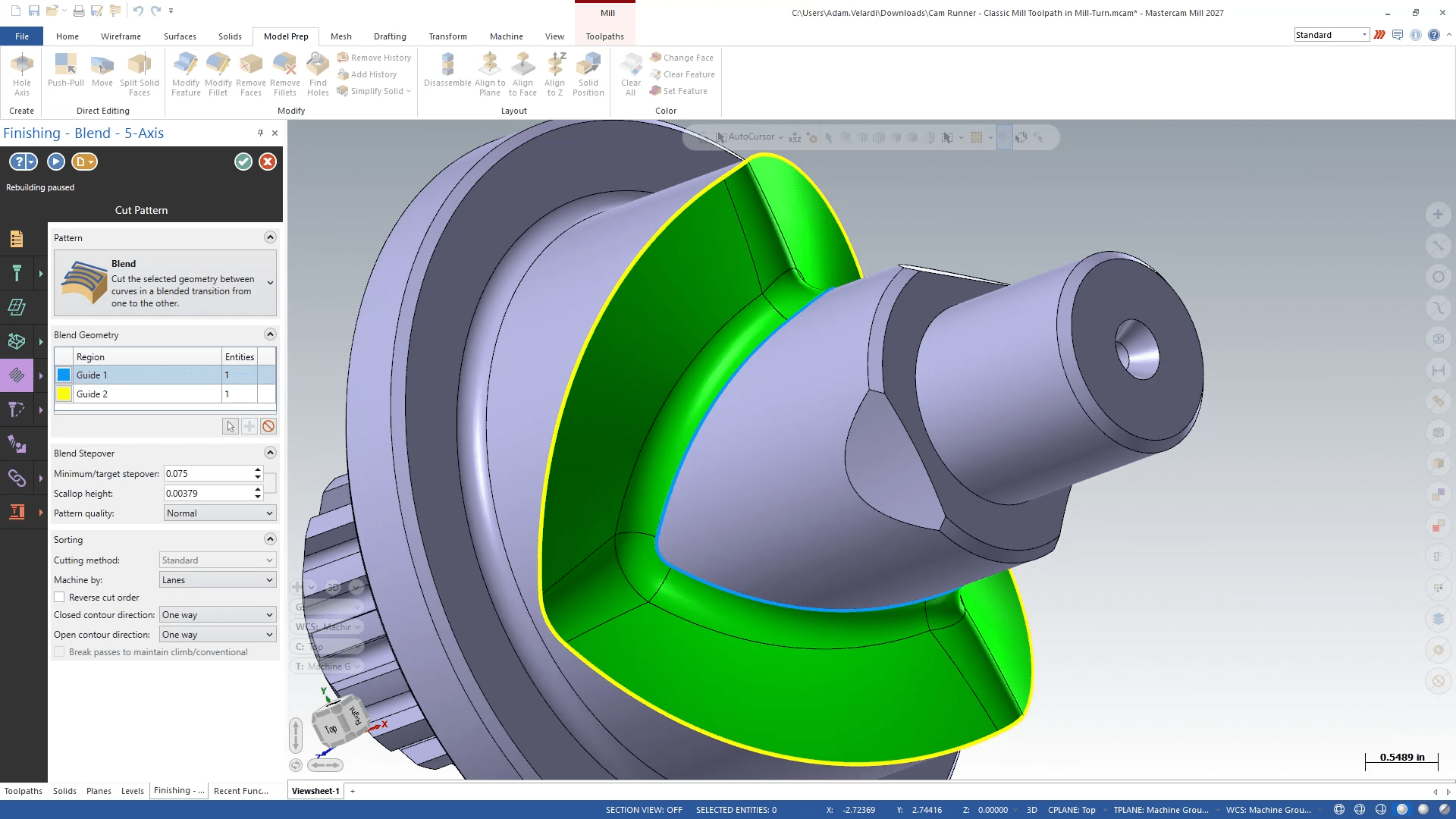
Mastercam is clear that EverPath is not a skin. In the introduction post, the company frames it as a ground-up rethink of how toolpaths are created, edited, and validated. Every strategy — 2D, 3D, or multiaxis — follows the same color-coded path: Operation, Setup, Motion, Machining. Toolpaths regenerate as you work, so the old adjust–regenerate–wait loop is the thing being retired. Edits land on passes and regions without forcing a full rebuild, and a built-in User Assistance System (with Copilot) keeps guidance inside the interface instead of a PDF on another screen.

The timing argument is labor and complexity, not marketing fluff. Shops are short on skilled programmers, parts are getting harder, and quote-to-delivery windows keep shrinking. EverPath’s stated design pillars are automatic-first defaults, transparent control when you override them, and a consistent layout so a new hire is not learning a different UI for every strategy. Multiaxis capability is built into the workflow rather than bolted on as a separate island. Existing Mastercam toolpaths stay; EverPath adds a new suite rather than converting old ones, and it ships with a public API at launch for shops that automate around CAM.
Beta Update 2 answered the first round of programmer feedback with control you can see. A Pause/Play control lets you freeze continuous calculation on large models, batch your edits, then resume — or leave calculation paused until you are ready. Tool Assembly Avoidance now draws live clearance boundaries in the graphics window as you pick tools and build motion, so interference is visible before you commit to a regenerate. That is the same thesis as the rest of EverPath: the programmer should see the consequence of a change while they are still in the decision, not after a wait.
What this means for a digital thread is blunt. A toolpath that is a dead G-code file is a one-way ticket off the model. A programming environment that keeps motion editable, regenerable, and attached to the same part is closer to treating the cut as a view on the model — which is how N23D wants CAM to sit on the thread. When the solid changes, the path should update with it. When clearance or feed changes, the programmer should see it before chips fly. Vendor kernels and UI generations will keep moving; the requirement that stays is one change model from design into the cell.
None of this replaces judgment at the machine. Feeds, holders, fixtures, and “will this actually cut” still belong to people who have broken tools. The useful test for EverPath over the next few months is the same one we use on CAD agents: can someone who was not in the original session open the operation, change a parameter, and get motion that still makes sense on the part?

Leave a Reply